
Navigating shopping malls is not always easy. Especially when a building is large, has multiple floors, and spreads stores across different zones, finding the right place can take more time than expected. Therefore, navigation must be clear, logical, and visually easy to understand. We recently created a new 3D Wayfinder demo template called “Mall of Norway.” This sample project demonstrates what a modern and user-friendly wayfinding solutions for shopping malls can look like. However, it is important to note that this is not a real shopping center. The map and floor plan are illustrative and do not correspond to any existing location.
Wayfinding in shopping malls
To begin with, we designed the “Mall of Norway” template with modern user behavior in mind. The interface feels familiar to users who already use mobile apps and digital maps. At the same time, the structure remains logical. Wayfinding in shopping malls feels intuitive. The system highlights important information clearly, and as a result, the learning curve and allows immediate use without instructions.
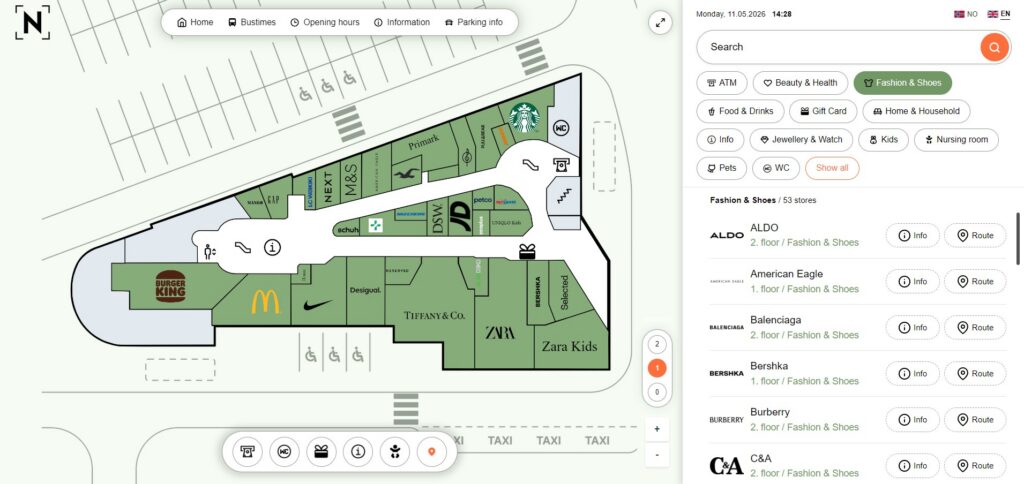
We created a clean and balanced layout. The interface stays minimalist, yet informative. The map sits at the center and works together with a search and menu panel on the right. The menu is easy to use, and more importantly, it shows store logos alongside written names. This means that users can quickly recognize brands while also reading the names. Users can quickly see the floor level and category at a glance.
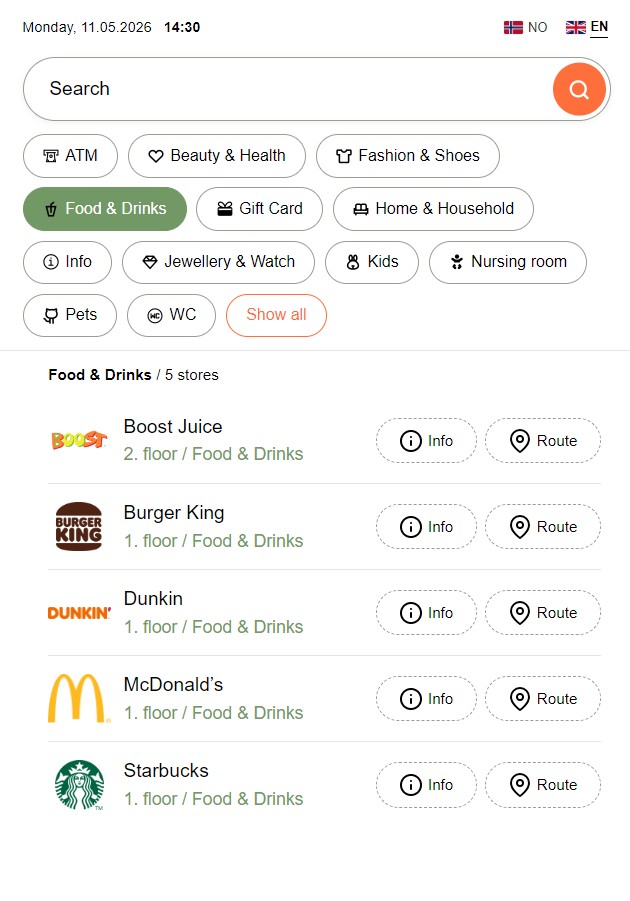
Furthermore, the visual language feels modern. We use soft colors, clear icons, and a logical layout throughout. As a result, visual noise is reduced and the focus stays on movement and search. All key features remain accessible without unnecessary complexity. In other words, users do not need to learn the system—they understand it intuitively.
Key features
Fast and logical search
First of all, users can enter a store name or service into a simple “HOME” search field. At the same time, the Home screen also displays quick-access category buttons and logos of the most frequently searched stores.
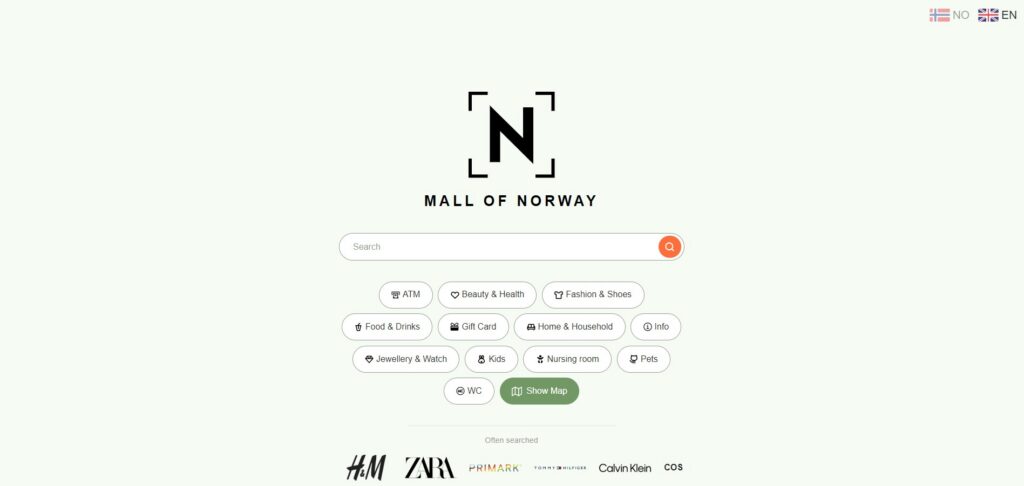
Additionally, shopping centers can customize categories based on their needs. In the demo, these include:
- Food & Drinks
- Fashion & Shoes
- Home & Household
- Beauty & Health
- Services
This approach helps users find what they need, even if they do not know the exact name.
Store information and detail view
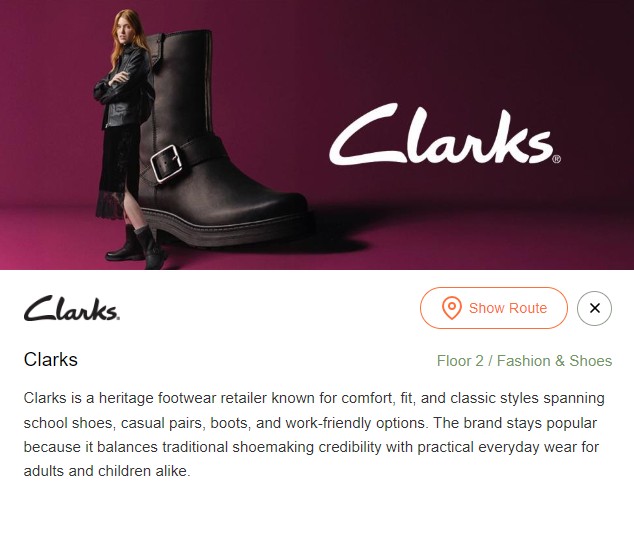
Each store includes a dedicated information view. You can add a custom image, such as a campaign visual. The system also shows a pop-up window on the map. This view displays the store name, logo, location, category, floor, and description.
Route display on the map
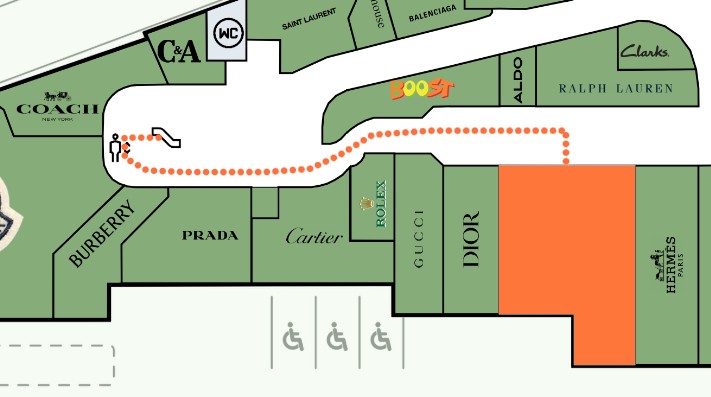
Users can press the “Show route” button to see the path to a selected destination. Once they choose a destination, the system draws a visual route on the map. The path clearly guides users from point A to point B. Administrators can customize route visualization settings, such as style and speed, in the admin panel based on client preferences. This solution reduces confusion and removes the need to guess directions.
Additional information: parking, transport, services, opening hours
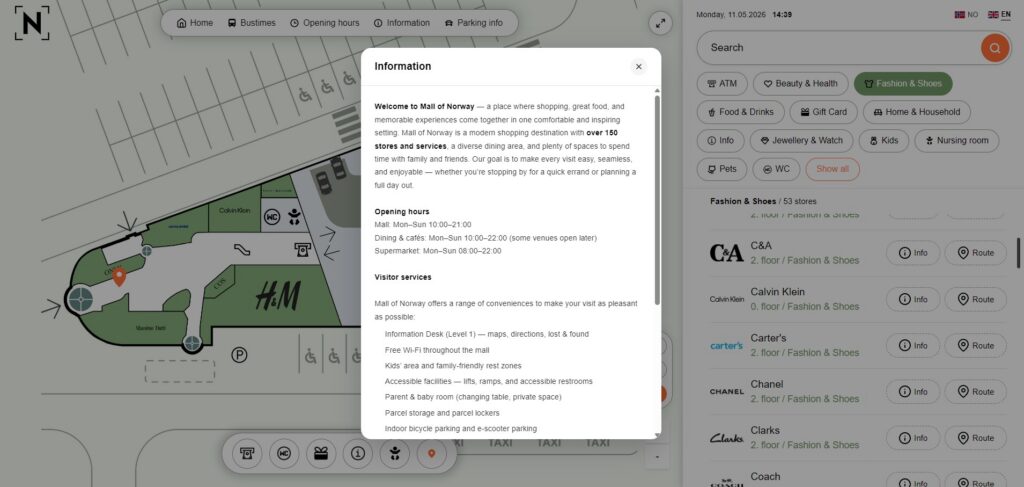
We developed a “Pages” system in 3D Wayfinder. This feature allows users to add additional information as separate pages.
In the demo project, we included:
- Bus schedules
- Opening hours
- General information
- Parking information
Each shopping center can fully customize these pages based on its needs.
Users can open and close all additional information easily. The system displays content as a centered pop-up while dimming the background. All essential information stays within one system, creating a complete experience rather than just a map.
This reflects the core goal of 3D Wayfinder—to keep all relevant building information in one place.
Benefits for shopping mall visitors
Visitors understand the environment more easily. When the map stays logical and search works quickly, users find destinations without stress.
They save time. Movement becomes smoother, and users reach their destinations faster.
Confidence increases. Users always know where they are and where they are going.
This is the true value of wayfinding—not the map itself, but the clarity and simplicity it creates.
“Mall of Norway” is more than just a demo. It shows what a modern shopping mall wayfinding solution can be. A clear map, fast search, and visual navigation create a better experience. Visitors find their way faster, and the shopping center becomes easier to use. If you want to explore our shopping mall demo in more detail, contact us to schedule a demo.